MLBB Promo Diamonds October 2026: Dates & Task Guide
Plan for the reported 26 October–4 November MLBB Promo Diamonds task event, with schedule details, collection advice and a credited Shop screenshot example.
Last updated:
Events · By RunePin · · 6 min read
Upcoming · reported schedule
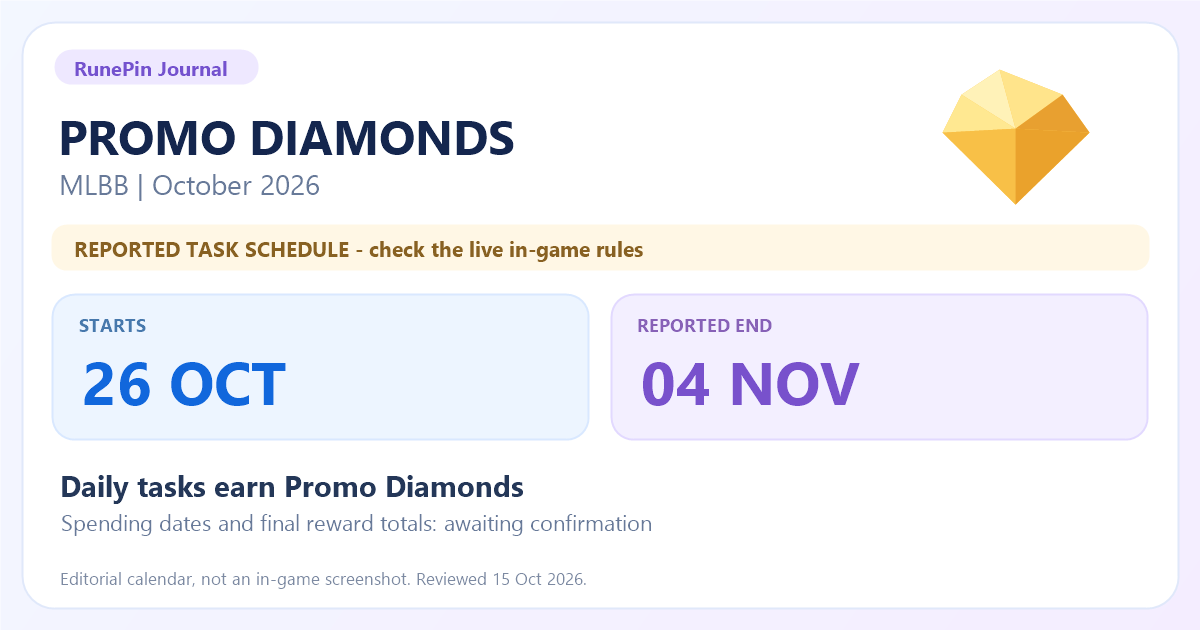
RunePin editorial calendar based on the reported task schedule. This illustration is not an in-game event screenshot.
Schedule source: esports.gg previewEvent schedule
Promo Carnival opening
October community patch notes announce this start in server time and say daily tasks award Promo Diamonds.
Reported task collection window
–
Preview calendar, not a separately verified publisher end-date announcement. Check the event countdown when it opens.
Spending window and expiry
Not independently confirmed for this October event. Collection dates must not be treated as the spending dates.
What is announced, and what is still a preview?
The MLBB Promo Diamonds Task Event is reported for 26 October to 4 November 2026. The October Original Server patch-note republication on r/MobileLegendsGame supports a 26 October Promo Carnival start and daily tasks that award Promo Diamonds. The full date range comes from esports.gg’s October–November preview calendar, which identifies its information as leaks and previews.
This guide was checked on 15 October, before the reported opening. The exact October mission list, reward quantities, spending period and item restrictions have not been independently verified. Use the live event rules and countdown in your own account as the final reference.
Promo Diamonds, regular Diamonds and RuneCoin
Promo Diamonds are a limited-event discount currency used with eligible MLBB Shop offers. They are different from the regular Diamonds credited by a game top-up. A Promo Diamond balance does not establish that an item is eligible or that its spending period has begun.
RuneCoin, shown as RP on RunePin, is a website wallet balance. It is not an MLBB Diamond or a Promo Diamond. Buying a listed regular-Diamond pack on RunePin does not directly buy Promo Diamonds, an event reward, or a skin.
How to take part when the tasks open
1. Update MLBB and open the Events area on the account you intend to use. Look for Promo Carnival or the Promo Diamonds task banner. Confirm its dates and eligibility before planning around a preview.
2. Open the rules and read each live task. Record the accepted game modes, daily reset, reward amount and any special conditions. A login, match, friend or recharge task from an earlier event must not be assumed to exist this time.
3. Complete only the tasks shown for your account, then use their Claim controls where required. Check that the displayed Promo Diamond balance changes. Keep a screenshot if a completed task does not register.
4. Return before the event’s own daily reset and final claim deadline. Server time may differ from the date or clock on your phone. This article does not assign an unverified IST reset time.
Daily missions and total rewards
Daily tasks awarding Promo Diamonds are mentioned in the October patch-note republication. A complete, current task table and a verified maximum total are not available in the sources reviewed for this article. There is therefore no reliable October total to calculate yet.
When the event is visible, read both the daily and one-time task tabs. Check whether rewards need manual collection, whether a missed day can be recovered and whether any task requires payment. Do not treat a reward total from a March, July or previous-year guide as this October’s entitlement.
How to check a Shop purchase
Collection and spending can be separate stages. Wait until the current event rules say Promo Diamonds can be used, then open an eligible item in the MLBB Shop and inspect the available discount controls. The historical screenshot below illustrates where a Promo Diamonds selector has appeared in an earlier interface.
Before confirming a purchase, read the actual Promo Diamond deduction and the remaining regular-Diamond cost on the final game screen. Check any item exclusions and whether another coupon changes the offer. The October spending dates, minimum regular-Diamond payment and eligible skin list remain unconfirmed here; no particular skin or final price is promised.
Top-ups and the Aspirants event are separate checks
A regular-Diamond recharge should only be considered after you have read the live task conditions. Do not recharge solely because an older guide says it is necessary. If a task requires recharge, verify the exact credited amount, eligible purchase type and active window shown in your game.
The October Aspirants draw is a separate event. This article has not verified that Promo Diamonds can pay for its draws or satisfy its recharge or spending tasks. Check each event’s own counter; rewards from one promotion must not be assumed to qualify for another.
A practical checklist before you spend
Confirm your MLBB player ID and server ID, review the live item and its final price, and set a budget before opening a purchase confirmation. A website payment must be confirmed and the game credit delivered; a pending checkout is not proof of an in-game recharge.
If you choose RunePin, use the supported payment method and exact details shown in your checkout. Keep the RunePin order ID for delivery questions. MLBB event counters, eligibility and reward claims are controlled inside the game; RunePin cannot change a publisher event deadline or award missing event currency.
Screenshots, dates and the next information to check
No verified October 2026 task-screen screenshot was found in the sources reviewed by 15 October. The cover is an original date illustration; the Shop screenshot below is explicitly a 2025 interface example. Its prices, balance and remaining days are historical and do not describe this event.
When the October banner becomes available, check its task table, maximum rewards, server reset, claim deadline, spending dates, expiry and eligible Shop items. These are the details that determine how the promotion works for your account. The source links below let you distinguish the published preview from the live publisher rules.
Event images
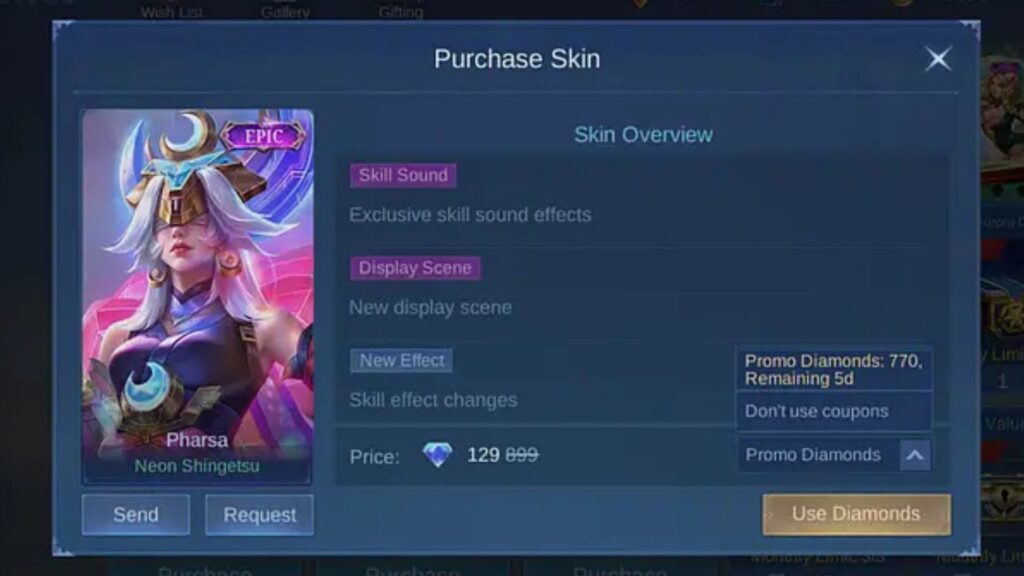
Historical Shop example (2025), not the October 2026 task screen. The shown balance, price and countdown are not current event rewards or offers.
Screenshot: esports.gg / MLBBSources & updates
Check the linked sources for current eligibility, availability and terms.